A claim, from start to finish
Five short steps, shown on the screens you'll use. Home always tells you which one is next.
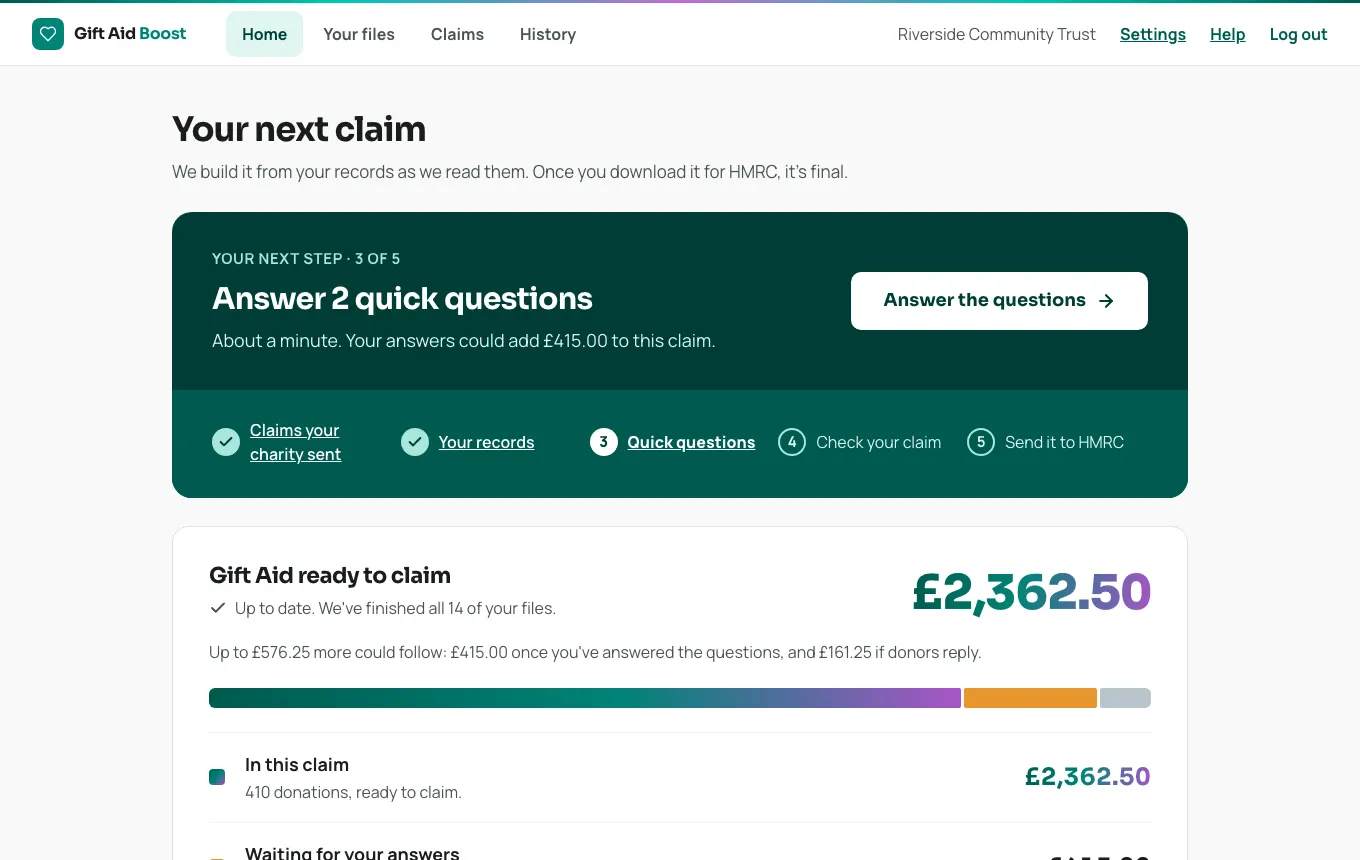
What you'll need
- Your charity registered with HMRC for Gift Aid.
- An email address at your charity.
- Your donation records, as CSV or Excel files.
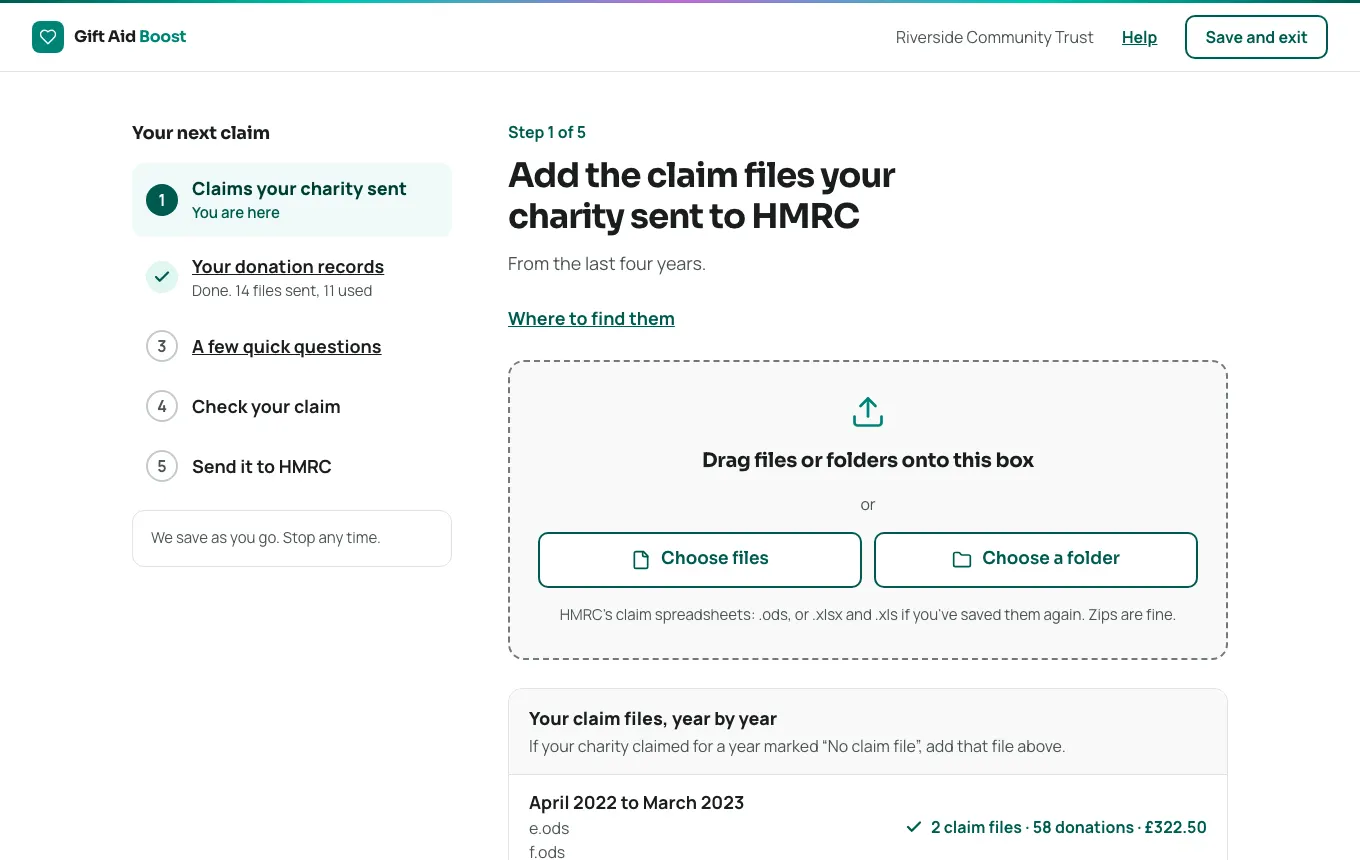
- Any claim files your charity has already sent to HMRC. If you can't find them, we ask which months you claimed for.
Tell us what you've already claimed
Add your donation records
Add the whole folder, as it is. No sorting, no tidying and no template to fill in.
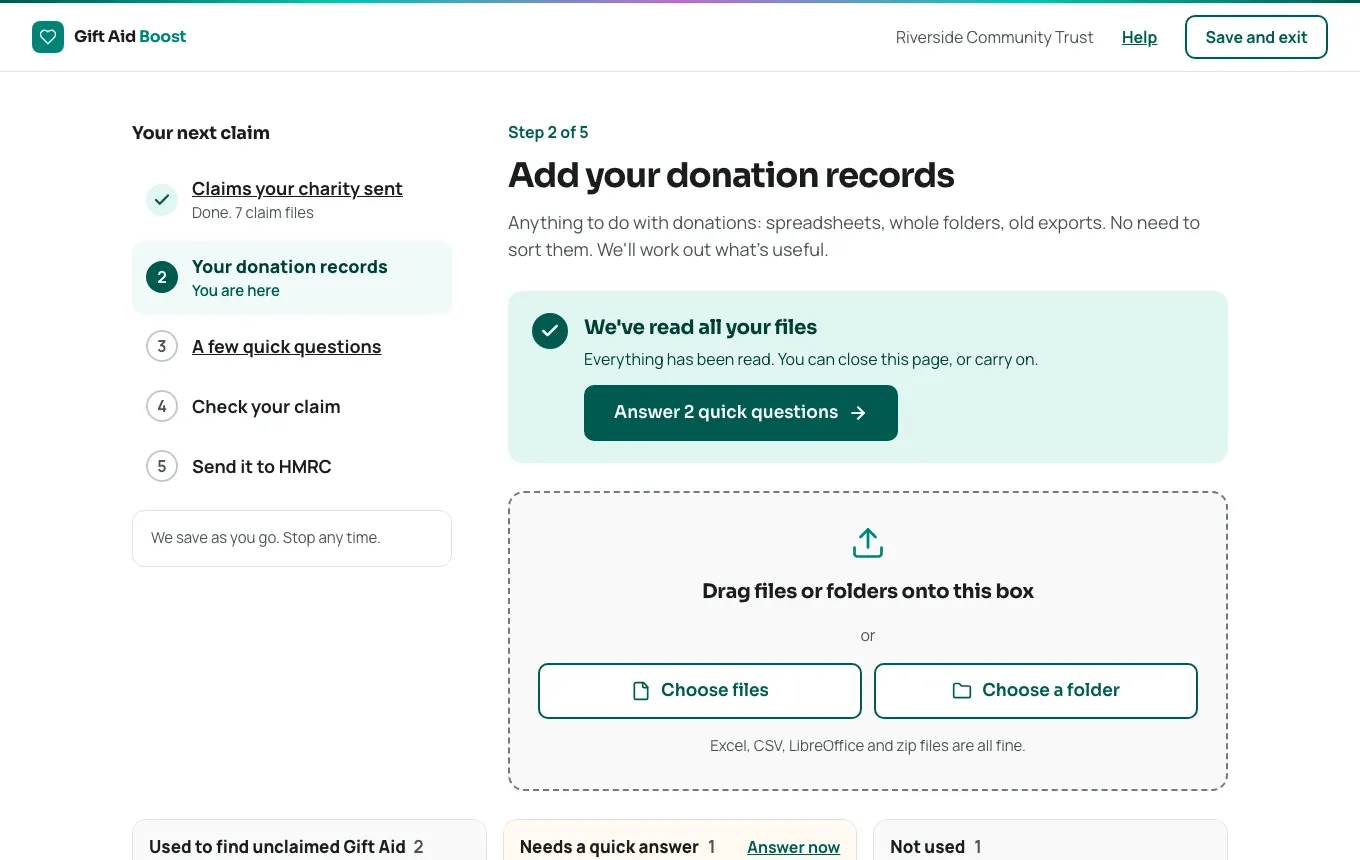
- Donations 2023-24.xlsxUsed · 212 donations
- Standing orders.csvUsed · 96 donations
- Gift Aid claim 2024.xlsxNeeds a quick answerIt might be a claim you've already sent. We'll ask in step 3.
- Trustee minutes March.xlsxNot usedIt doesn't look like donation records, so we've deleted our copy.
- Donations 2023-24 copy.xlsxAlready have itIt's the same as Donations 2023-24.xlsx, which we already have.
- Sponsor forms.pdfNot addedWe can't read PDFs. If it lists donations, please add the spreadsheet it came from instead.
Every file is accounted for
- No template. We read each spreadsheet as it is and work out which column is which.
- We tell donation records from everything else, and delete our copy of anything we don't use.
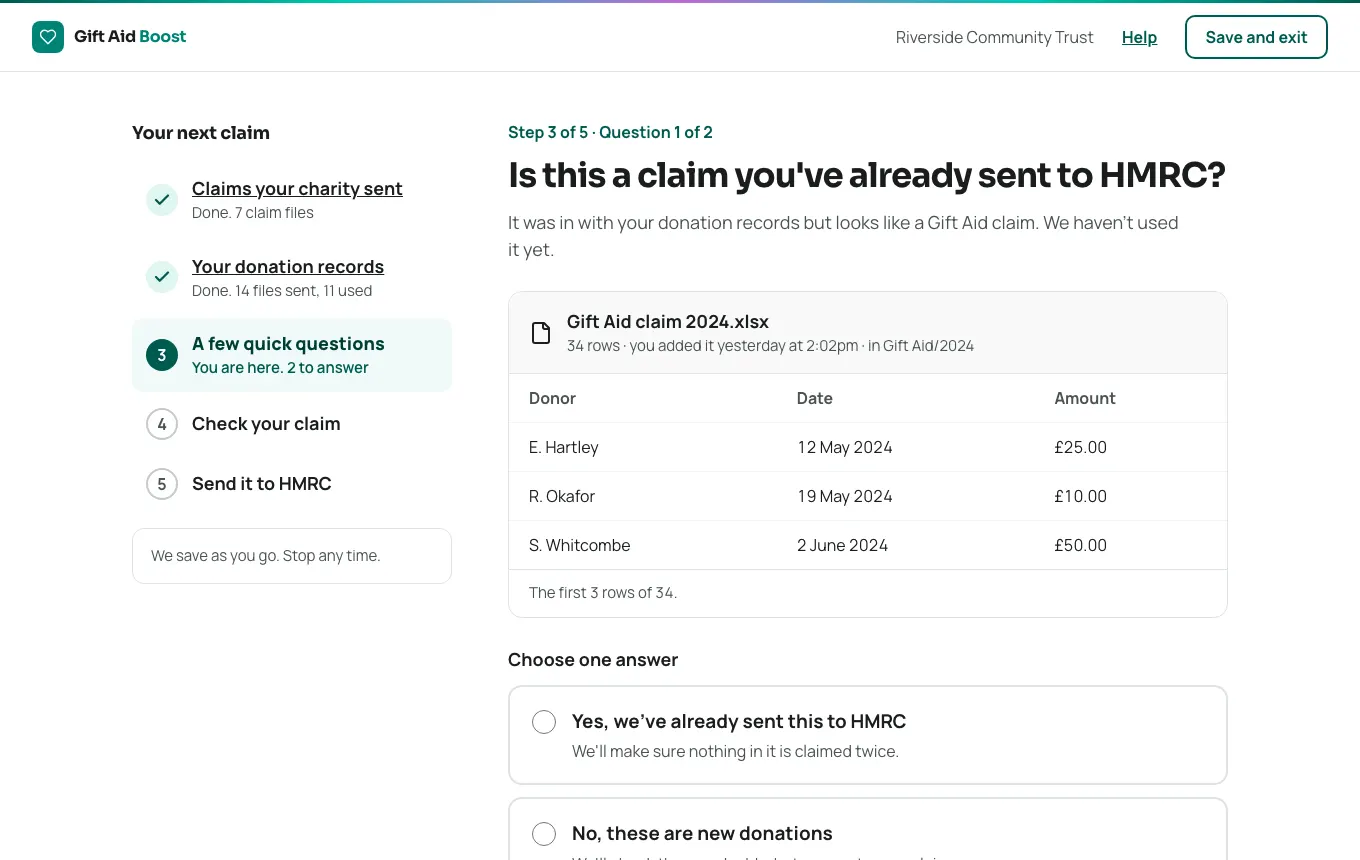
- A claim you've already sent, mixed in with your records, is spotted. We ask before using it, so nothing is claimed twice.
- The same file twice is counted once.
- Every file is checked for viruses before we open it.
- You don't have to wait. Close the page and we email you when every file has been read.
Excel, CSV, LibreOffice and zip files are all fine. We can't read PDFs, photos or scans.
Answer a few quick questions
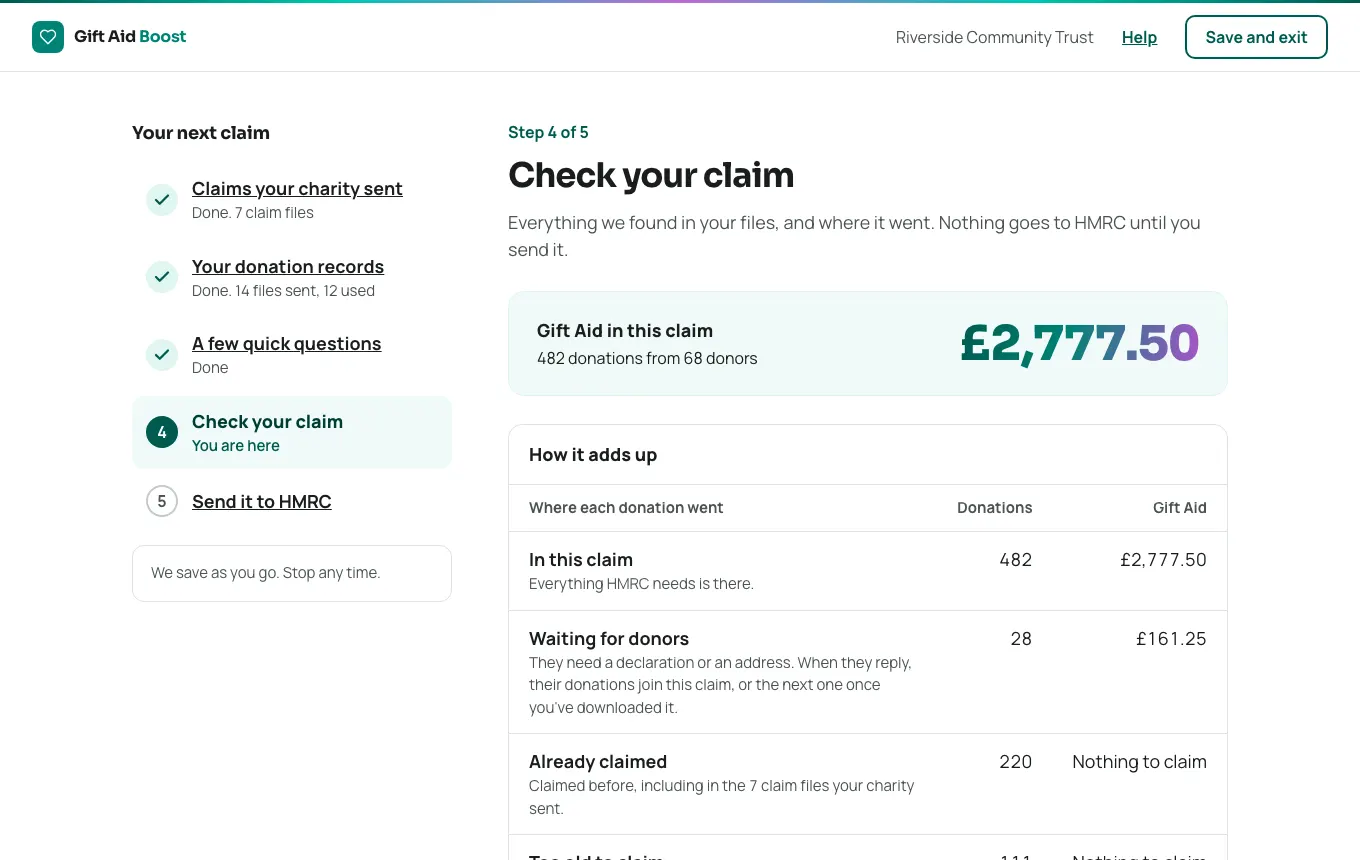
Check your claim
Missing declarations, asked for in one click
When a donation has no Gift Aid declaration, we can email the donor for you. The email carries a declaration worded to HMRC's guidance, and the donor confirms it with one button.
- You decide. Nothing is sent until you say we may.
- One click for the donor. Nothing to print, sign or post.
- The full declaration is in the email, not behind a link.
- A dignified way out. A donor who doesn't pay enough UK tax can tell us, and isn't asked again.
- A record of every reply, with when it was sent, when it was confirmed and the exact words shown.
Riverside Community TrustExample
Riverside Community Trust - please confirm your Gift Aid declaration
Hi Arthur,
Thank you for supporting Riverside Community Trust. We’d like to make your donations go further through Gift Aid.
If you’re a UK taxpayer, Gift Aid means we receive an extra 25p from HMRC for every £1 you’ve donated, and it doesn’t cost you a thing. All we need is your confirmation below.
Your declaration:
“I confirm that I am a UK taxpayer and I would like Riverside Community Trust to treat all donations I have made in the past 4 years and all future donations as Gift Aid donations until I notify them otherwise. I understand that if I pay less Income Tax and/or Capital Gains Tax than the amount of Gift Aid claimed on all my donations in that tax year, it is my responsibility to pay any difference.”
Not applicable?
I don’t pay enough UK tax
This isn’t me
Thank you,
Riverside Community Trust
Sent on behalf of Riverside Community Trust by Gift Aid Boost.
Send it to HMRC
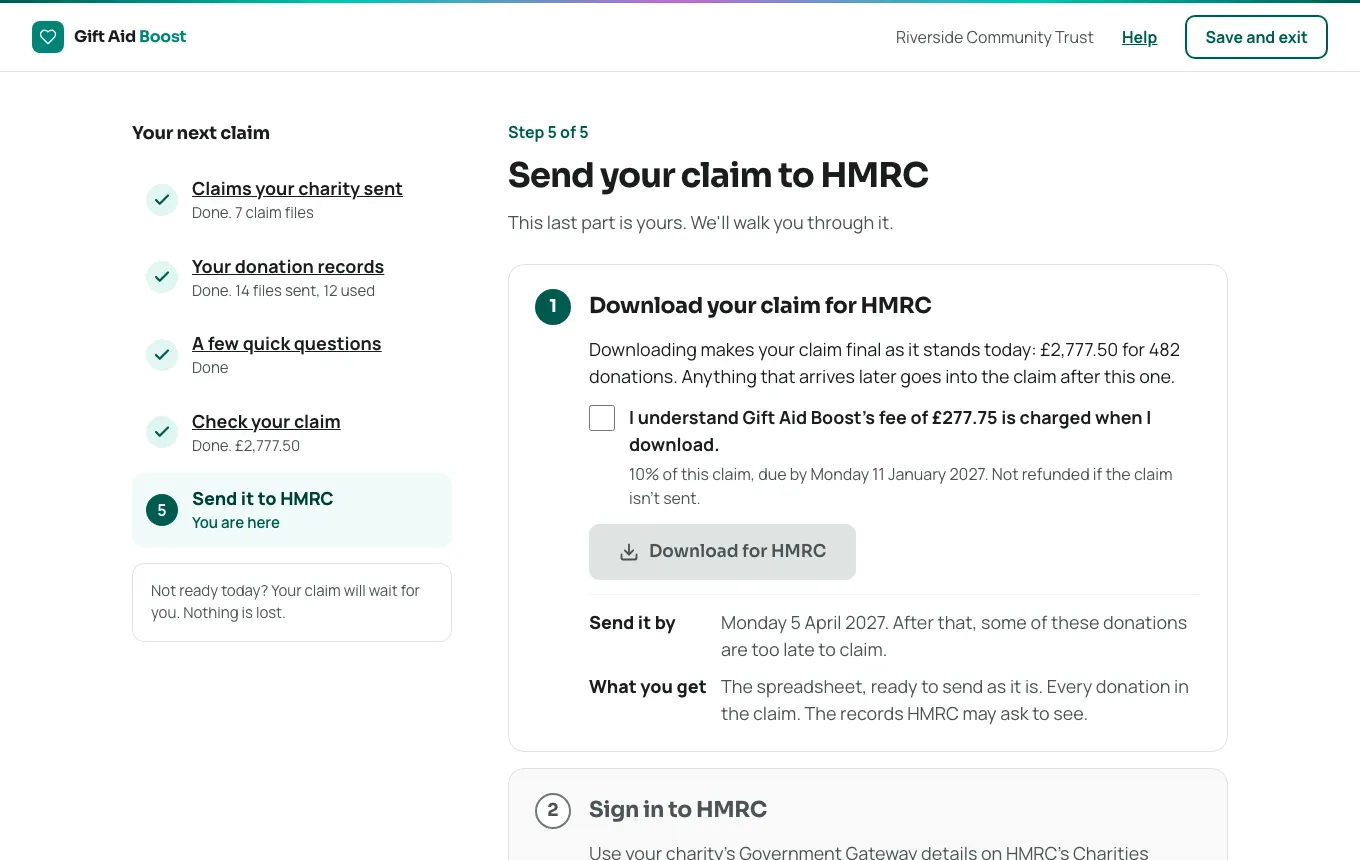
Once you've downloaded your claim
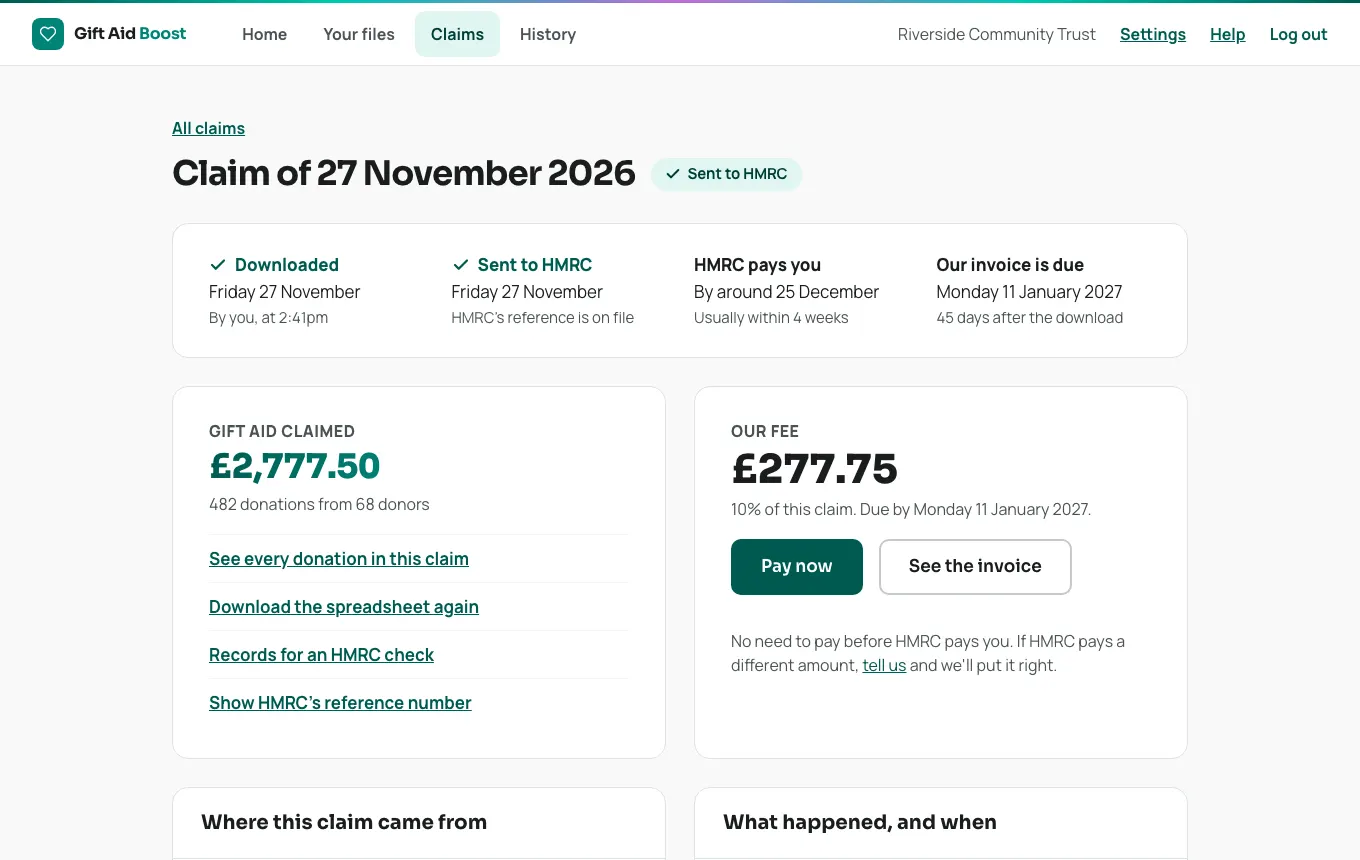
- Your claim is final. Nothing can be added, so nothing in it is claimed twice.
- HMRC pays your charity, usually within 4 weeks.
- Late replies aren't lost. Donors who reply afterwards go into your next claim.
- The record stays. Every donation, declaration and address in the claim, ready if HMRC ever asks.
What we don't do
Send the claim for you
You send it, so you decide what goes to HMRC. We never ask for your Government Gateway user ID or password.Claim under the Small Donations Scheme
That's a separate claim you make yourself.Guess
Anything we can't be sure of is held back and listed, with the reason.Ready when you are
Adding your records is free. You pay 10% of the Gift Aid in each claim you download.